

For contractors in the US and Canada
Know what every job actually made you
Receipts, hours, invoices and payments, all on the job they belong to. One look shows what it cost, what came in, and what you made.
Free plan · no credit card · your first job from start to finish
From the job to the numbers
Every job, one look
Your receipts, hours and payments tell one story. See where the job stands without doing the maths again.
Expenses and labour, counted together.
What you’ve invoiced and what’s been paid.
What’s left after the costs are counted.
Demo preview with sample data
- Made in Canada
- US and Canadian tax settings
- Card payments by Stripe
- Cancel anytime, your records stay readable
Watch it work
Seven screens, one job followed from quote to final payment.
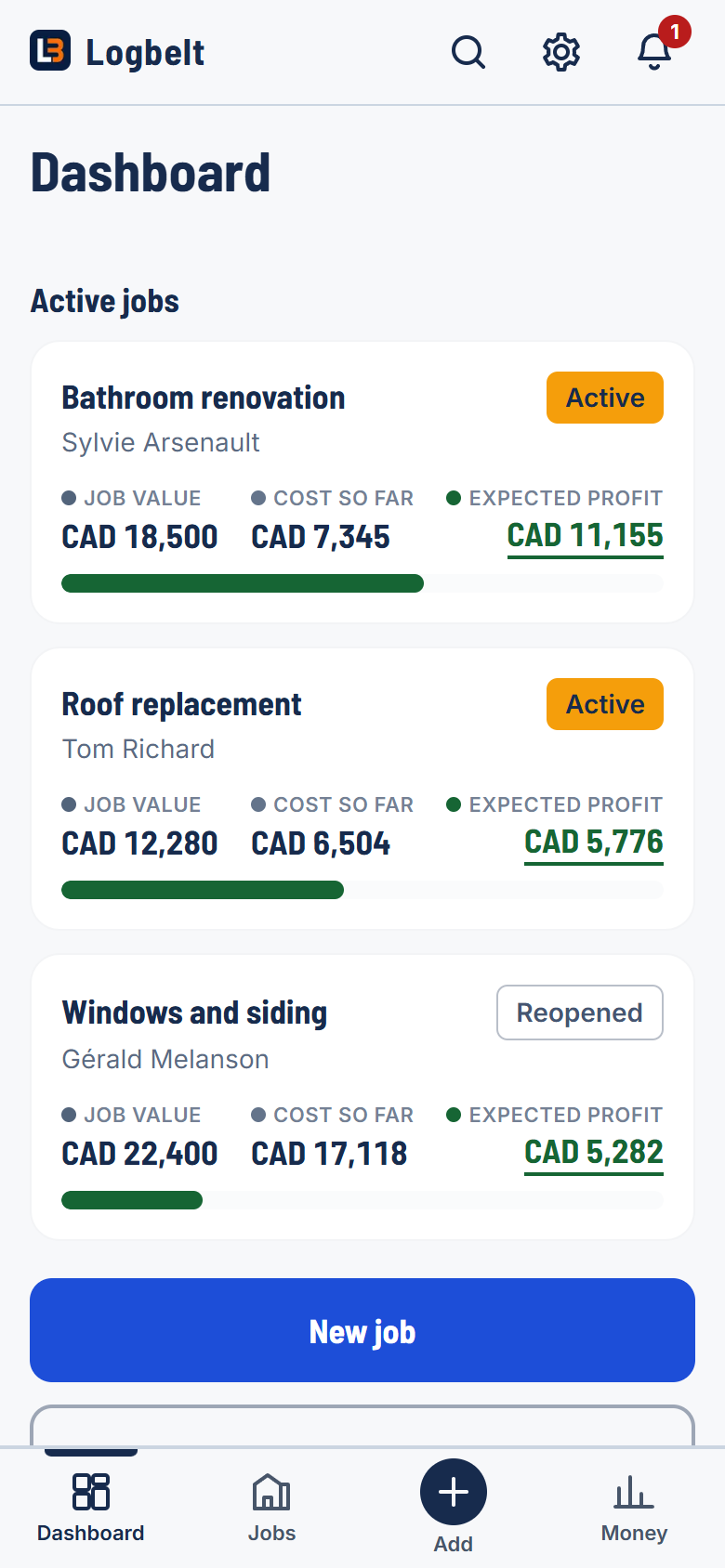
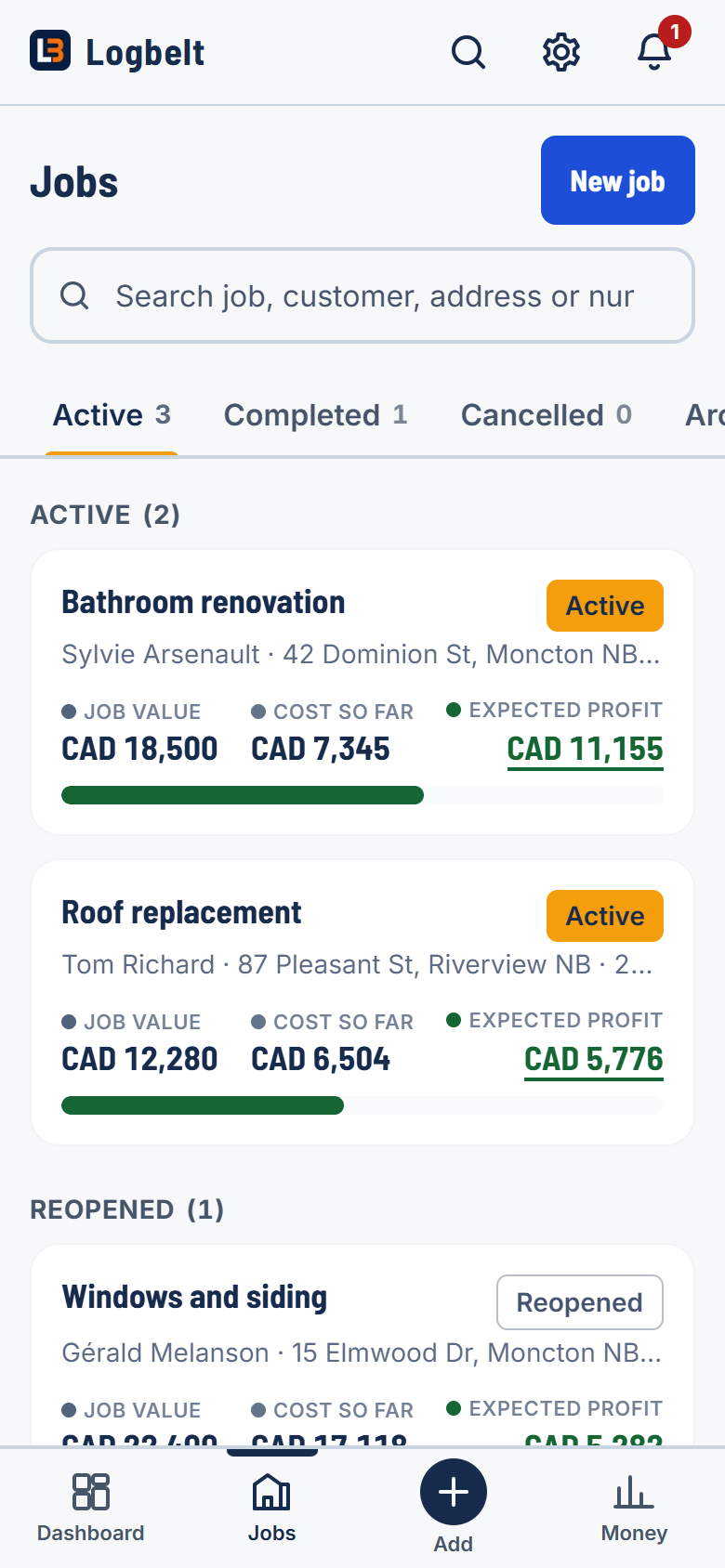
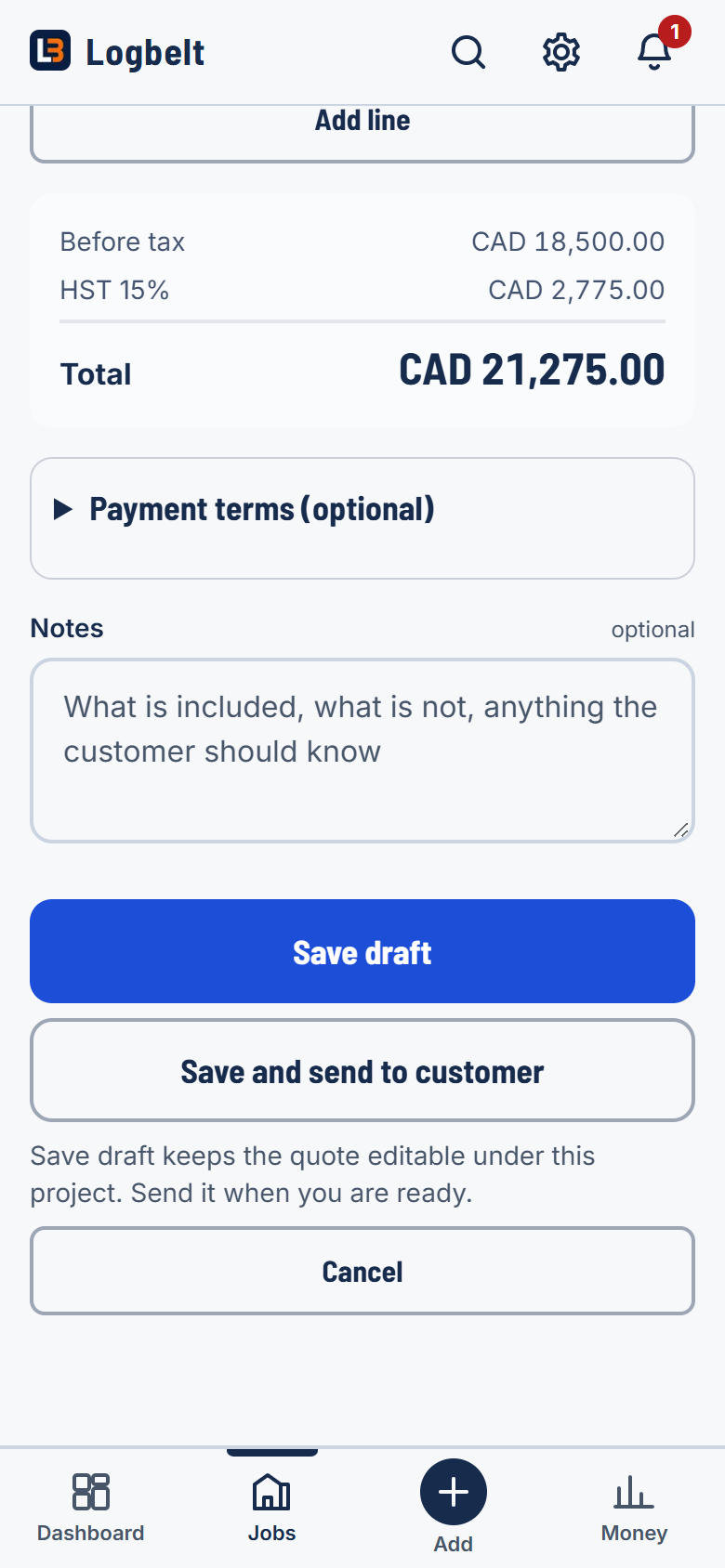
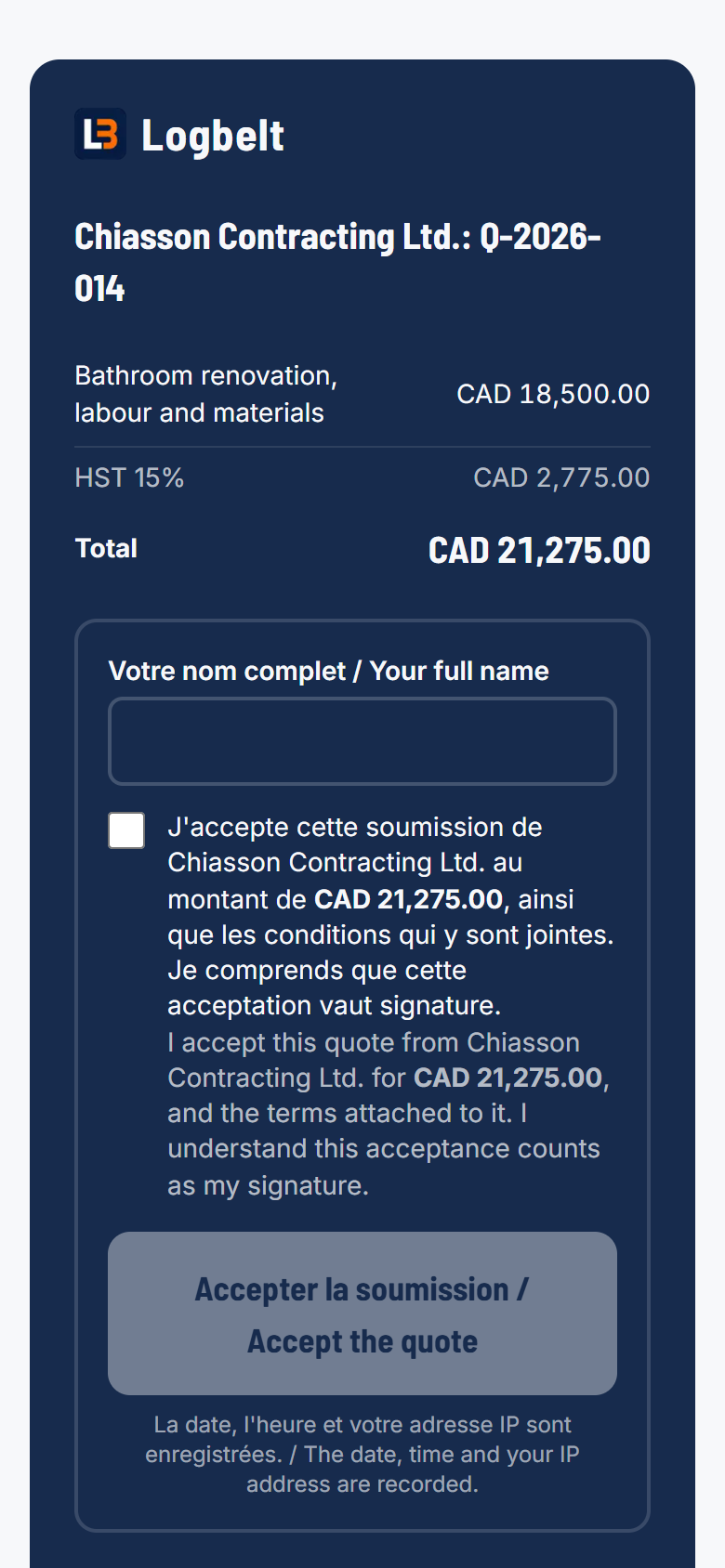
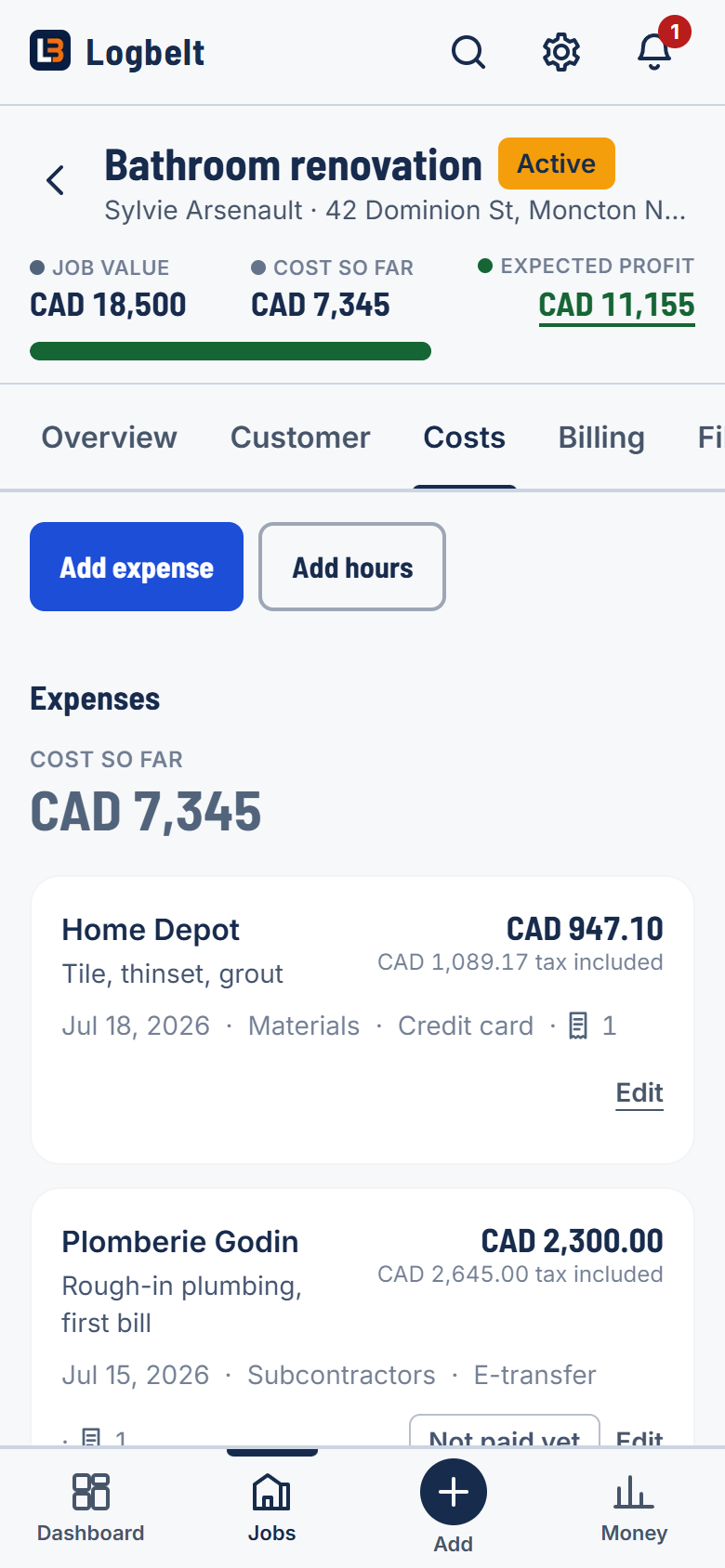
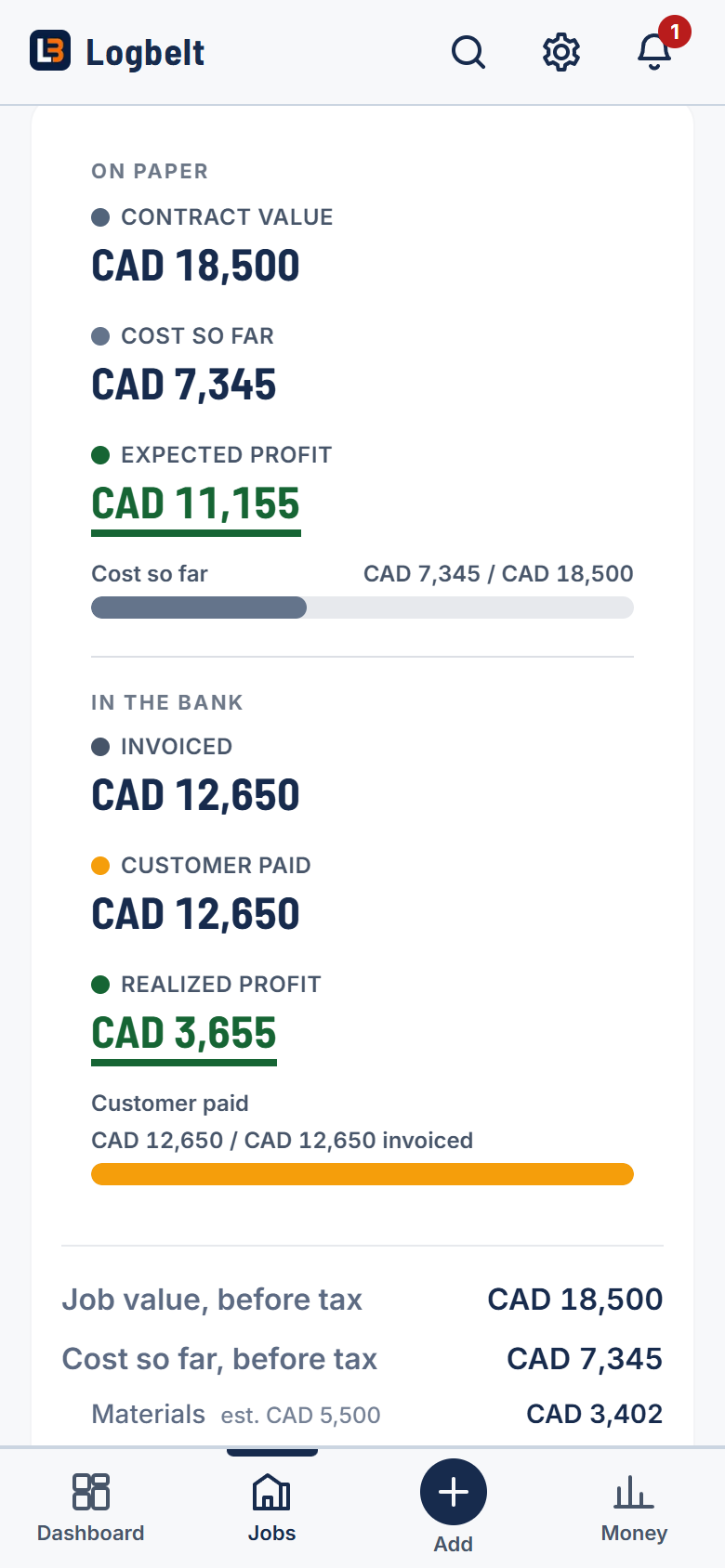
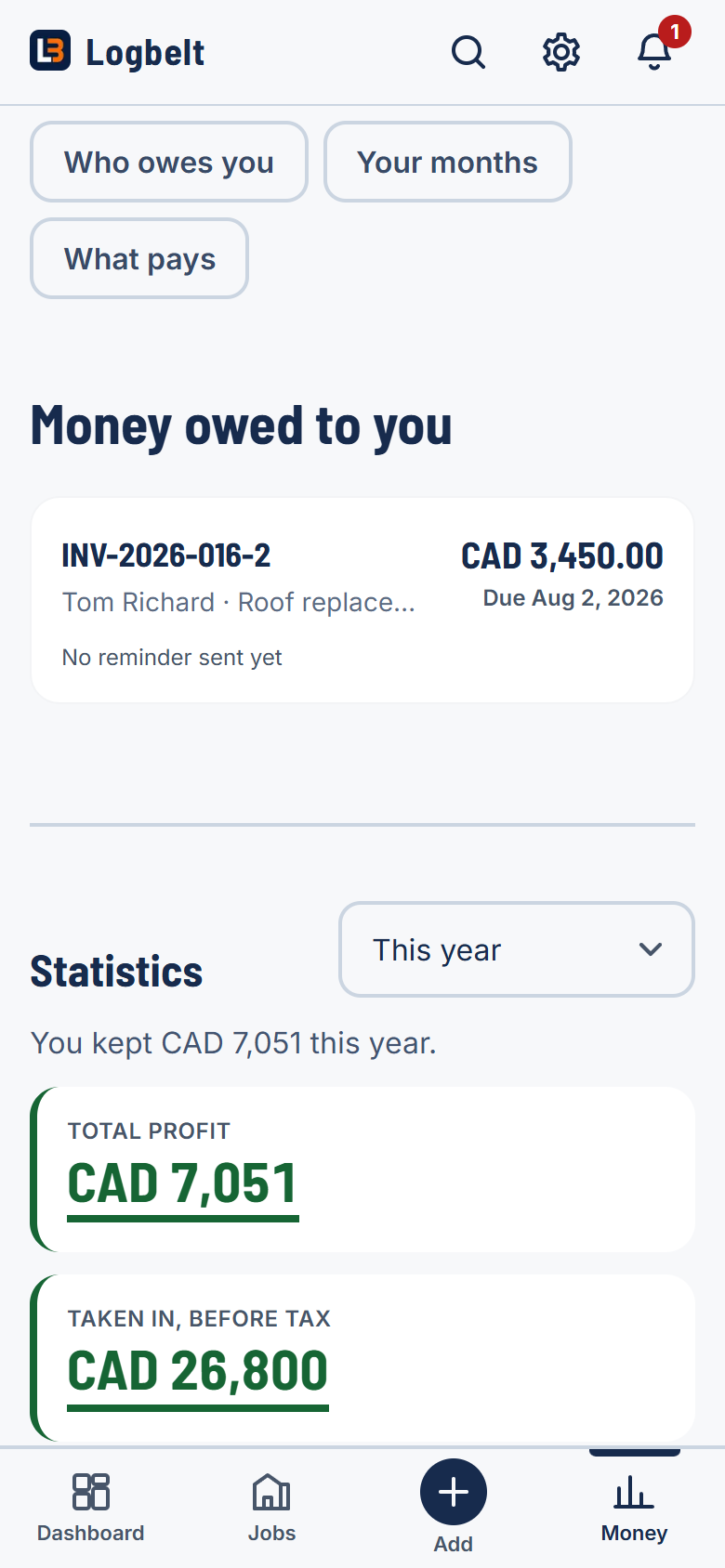
1. Your jobs at a glance
Every job shows its value, cost so far and expected profit. Whatever needs you rises to the top on its own.
How it works
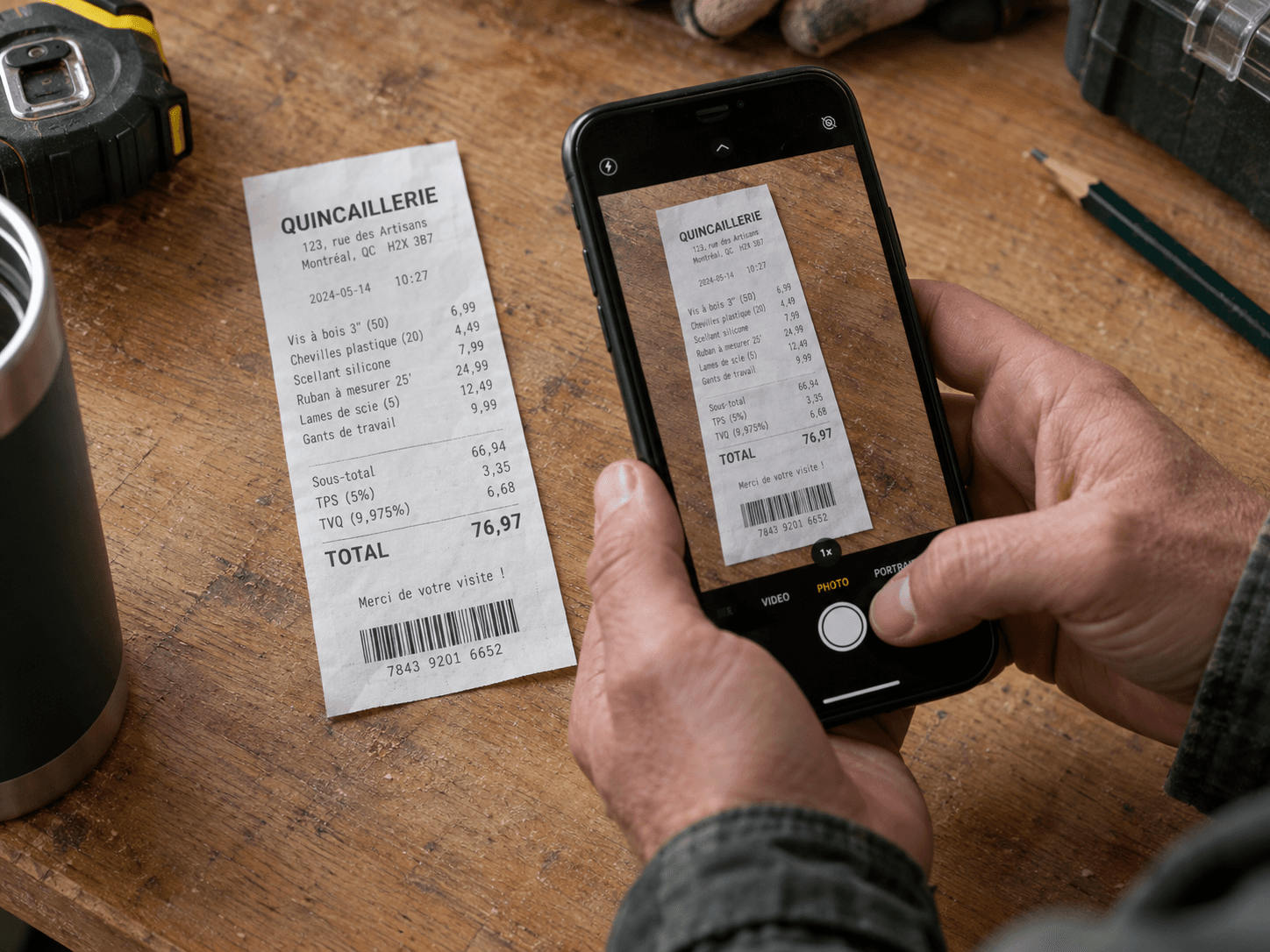
Put the costs in
Snap receipts and log hours as the job goes. Every dollar lands on the right job.

Invoice and record what comes in
Bill the deposit, the progress draws and the final. Record each payment when it lands.

See cost, paid and profit
Every job shows the same three numbers, up to date, right on your phone.
What you get
Receipts from your phone
Snap the receipt in the truck. It goes on the job with the tax split out.
Labour counted as real cost
Hours go on the job at what a worker really costs you, so the profit is honest.
Invoices and payments together
Deposits, progress bills, the final bill, and who still owes you money.
Show the customer the work
Photograph the job as you go, tick the ones worth sending, and they get a link. No app for them to install.
Jobs that keep their history
Reopen a job years later for warranty work and still see profit at completion next to profit today.
The plans
Free
Try Logbelt
$0 USD / month
- One job on the go at a time; finish it and start the next
- 10 receipt scans a month, then you type them in
- Quotes and invoices with your own numbering
- US sales tax settings and Canadian tax presets
- What the job cost, what came in, and what it made
- One spreadsheet for your accountant
- A personal space for your own home projects
- Just you
Pro
Run your projects
- Up to 10 jobs on the go at once
- 400 receipt scans a month
- Up to 5 people on your crew
- Your logo and your footer line on every quote, invoice and receipt
- Send your customer photo updates as you go
- Give each person a role: the office, the books, the site, or view only
- Everything on the free plan
Enterprise
Understand and run the business
- Profit Insights: plain answers from your own numbers
- Named crews: Roofing crew, Reno crew, yours to define
- Your own job fields: permit number, gate code, lockbox
- Logbelt notices what slipped: jobs finished but not invoiced, quotes with no answer, money past due
- Priority support: your requests are answered first
- As many jobs as you can run
- 2,000 receipt scans a month
- As many people on your crew as you like
- Everything on Pro
Cancel anytime. Your data stays yours.
Questions before you sign up
The ones that come up before anybody signs up.
Do I need to be good with computers?
Start by creating a job and adding a cost. You can photograph receipts or enter them manually, then review the amounts before saving.
Does it support US and Canadian taxes?
Yes. Choose your country and state or province during setup. For US businesses, enter the state and local sales tax rates you charge, or explicitly select no tax. US rates are not prefilled or determined automatically. Canadian businesses can use the provincial GST, QST, HST and PST presets. Review your tax settings before sending quotes and invoices.
Does it work on my phone, on site?
It is built for the phone first. Photograph a receipt at the lumber yard and it files itself against the job, with the vendor and the amount read for you, waiting when you get back to the truck.
Is there an app?
Not yet. We are currently building a real App Store and Play Store app. However, you can open logbelt.com on your phone and add it to your home screen, and you get the icon, the full screen and no browser bars. On an iPhone tap Share then Add to Home Screen. On Android tap the menu then Install. Because it is the same Logbelt, there is never an update to install and never a version that stops matching the office computer.
What happens to my records if I stop paying?
Nothing is deleted. Your jobs, receipts, quotes and invoices stay readable, and you can still export everything for your accountant. You drop to the free plan and keep your history.
Can my customers pay by card?
Yes. Connect your bank through Stripe and every invoice you send carries a pay button. The money goes to your account, not ours: we take no fee on your payments, on any plan. Stripe charges its standard card-processing fee, which every payment platform passes along.
Is it in English or in French?
Both, in full, and each person picks their own. Every screen, every email, and every document your customer receives exists in the two languages, so a French-speaking crew and an English-speaking customer can work off the same job without anybody translating anything. Support answers in whichever language you write in.
Can my customer see the work while it is happening?
Yes, on Pro and Enterprise. Photograph the site from your phone, choose which pictures to send, and your customer opens a link with no login and nothing to install. Change your mind and untick one, or delete a bad shot, and it disappears from their link too, because the page is built fresh each time rather than being a copy you can never take back.
Do I still need my accountant?
Yes, and they will thank you. This is not tax software. It is the record of what each job cost and what it made, exported as one spreadsheet they can actually use, instead of a shoebox in February.
What if it doesn't do something I need?
Tell us. There is a Feedback screen inside the app: report a bug or ask for a feature, add a screenshot if it helps, and read the reply in the same place. We review every request and every bug report.
What does it cost to try?
Nothing, and there is no card to enter. The free plan takes one job from the first receipt to the final invoice, so you can see what it does with your own numbers before deciding.
Three numbers on every job
One job on the go, free, from the first receipt to the final invoice. No card needed.